Files and knowledge collections
Give agents a reference library, manage indexing and understand what a collection provides.
In this topic
- 01Choose a document folder→
- 02Index the collection→
- 03Grant it to a helper→
- 04Search and read when needed
A collection is reference access; a chat working folder is a separate choice for hands-on file work.
See the actual app · 1 screenshot
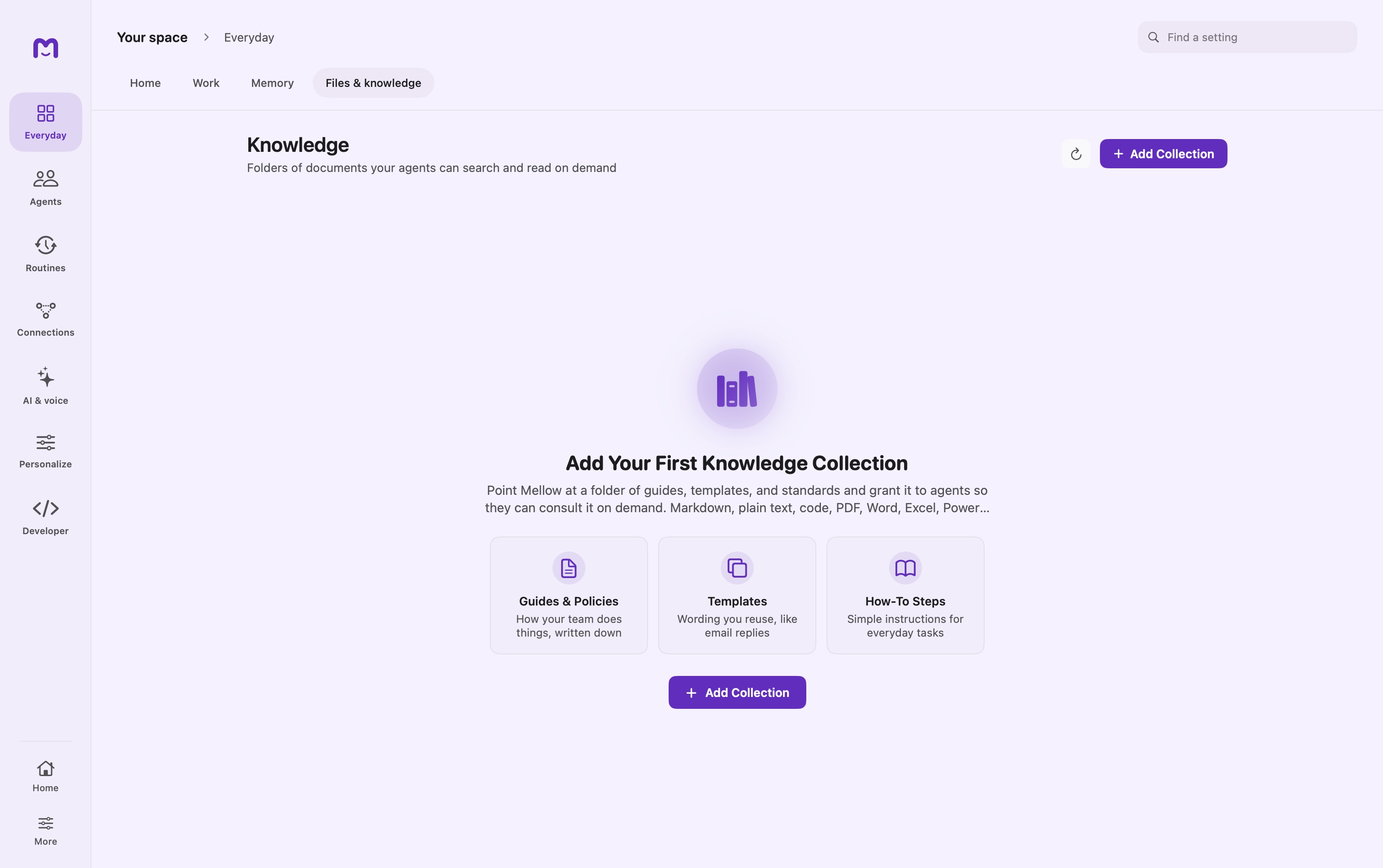
Knowledge connects selected document collections to conversations. It is best for material that has an authoritative source: team notes, product requirements, a research library, or operating instructions. Unlike Memory, Knowledge begins with documents you choose rather than facts inferred from a conversation.
Create and grant a collection
Open Files & knowledge and create a collection. Choose the source folder and let indexing finish. Inspect the collection's document list before giving it to an agent or project.
A collection and a grant are separate. Creating the collection makes it available to configure; an agent needs access through its own settings or through the current project. Project collections are combined with the active agent's collection grants.
Start with a small, recognizable set of documents. Ask a question whose answer you already know, request the source document, and verify the excerpt. This checks ingestion, grant resolution, retrieval, and the model's use of the result in one bounded test.
Search, list, and read are different operations
| Operation | What it establishes |
|---|---|
| List documents | Which indexed items match the requested collection or filters |
| Search | Which excerpts rank as relevant to a question |
| Read | What the selected document currently contains |
A search result is not a complete inventory. A list page is not the entire collection unless its reported total fits on that page. A summary of several excerpts is not evidence that every document was read.
For a collection-wide audit, ask the agent to list all matching documents, follow pagination, and then explain which documents it actually inspected.
Tool-level controls
search_knowledge returns five ranked excerpts by default and accepts top_k up to 25. list_knowledge supports limit and offset; its result reports the total and a continuation hint when more documents remain. read_knowledge caps large outputs at 24,000 characters and can direct the caller to a narrower section.
Collection names are resolved by the tool layer rather than treated as arbitrary filesystem paths. Inspect the collection named in a result when your request used an abbreviation or partial name.
Permissions are enforced when the tool runs. Hiding a collection in the interface is not the only boundary, and a prompt asking for an inaccessible collection does not grant access.
Writing back to the library
Read access and write access should be considered separately. When an agent is permitted to update Knowledge, review the proposed change and its destination. Supported write operations target Markdown content; this is not a general editor for every indexed format.
| Tool | Intended change |
|---|---|
write_knowledge | Create or replace Markdown documents |
edit_knowledge | Apply targeted substitutions to an existing document |
delete_knowledge | Remove selected knowledge documents through the write path |
Targeted edits reduce the need to regenerate unrelated frontmatter or content. Batch writes are handled per document rather than as one all-or-nothing collection transaction. Check individual outcomes when a batch partly fails.
The write history is separate from the rebuildable search index. A revert can refuse to overwrite a document that changed again after the recorded write. In that case, compare the current file with the recorded change instead of repeatedly retrying the same revert.
Keep documents useful
Use descriptive filenames and headings. Put a decision, date, and scope near the relevant text rather than relying on a filename alone. Avoid maintaining several conflicting copies without marking which one is current.
After a large source update, inspect indexing status and repeat a known-answer query. Rebuilding an index should not be confused with restoring deleted source documents. Keep backups of the original material.
Troubleshooting
| Problem | Investigate |
|---|---|
| Collection contains no documents | Folder selection, supported formats, ignore rules, indexing status |
| Correct document never appears | Search wording, collection grant, document text extraction |
| Agent sees only part of a large library | List pagination and read-output limits |
| Current file differs from answer | Reread the document and ask for source-specific evidence |
| Write or revert is refused | Write grant, approval result, format, and intervening edits |
A remote chat model can receive retrieved excerpts. Decide whether that provider is appropriate for the collection before using it. See Projects for shared grants and Privacy for request boundaries.
Continue exploring · Your daily workspaceRemembered context →Control the information carried between conversations and inspect memory processing.