Think out loud
Set up speech input, dictation and spoken responses.
Your space → Models & voice → Voice
Microphone access and a compatible downloaded speech model. Dictation into other apps also needs Accessibility permission.
Check the basics
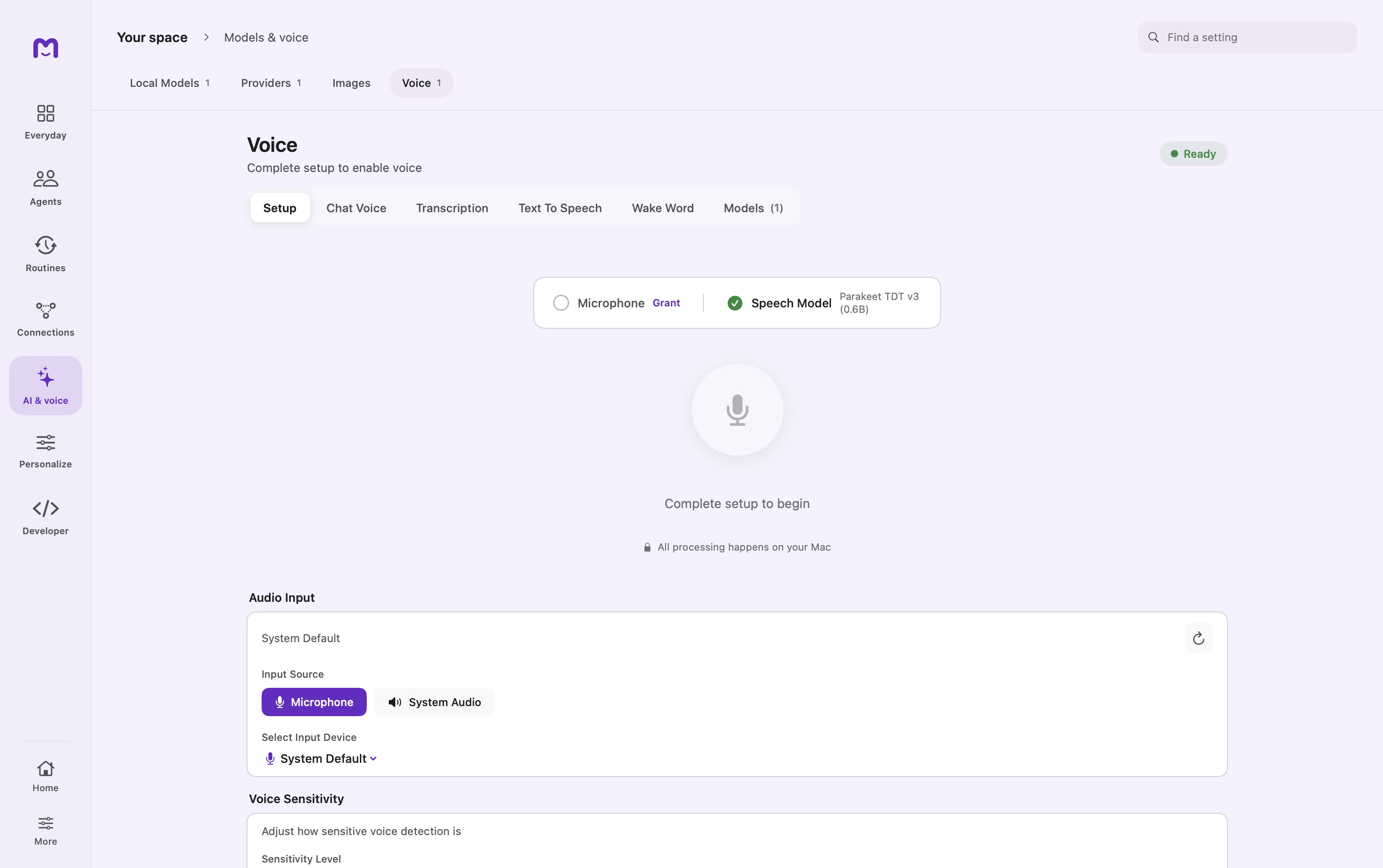
Open Voice → Setup. Select the audio input, grant microphone permission and wait for the speech model to be ready. Test a short phrase.
Choose the experience
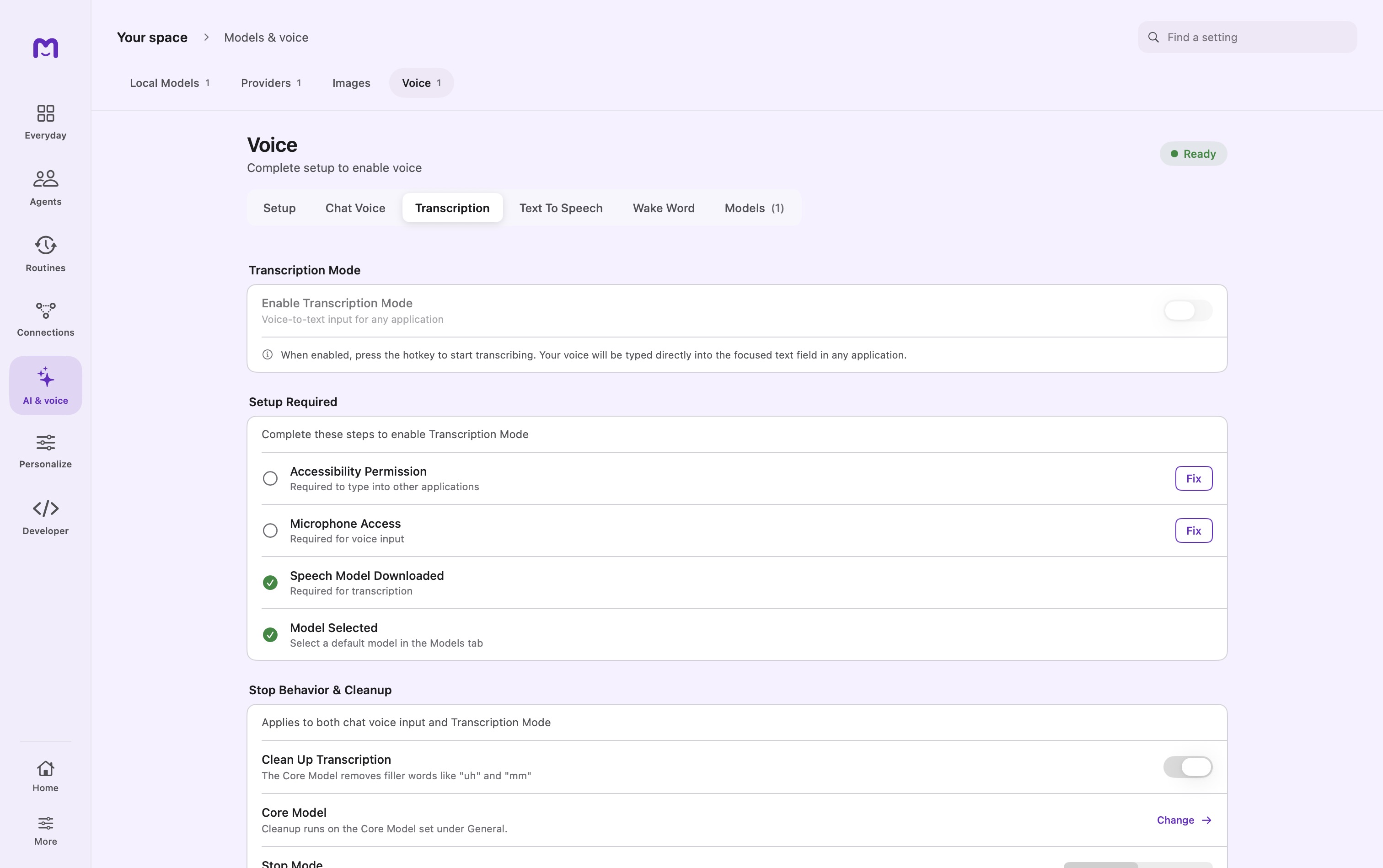
Enable chat voice for messages inside Mellow, or Transcription mode for dictation into another app. Review the hotkey and stop behavior.
Listen back
In Text-to-Speech, choose the engine and voice, then preview a short response. An external speech server sends text to that service.
Controls & reference
| Control or concept | How to use it |
|---|---|
| Setup | Microphone permission, input source, device selection and sensitivity. |
| Chat Voice | Enable speech input for Mellow conversations. |
| Transcription | Enable dictation into a focused field; requires Accessibility and microphone access. |
| Stop Mode | Automatic detects pauses; Manual gives you direct control over finishing. |
| Pause Detection / Confirmation Delay | Tune when listening stops and the opportunity to cancel before sending. |
| Text To Speech | Select engine and voice; download the speech model if needed. |
| Wake Word | Optional listening for a configured phrase. |
Try it with a small task
First test a short phrase in Setup. Then focus a scratch text field and test Transcription separately. Check the words appeared in the intended destination before using dictation elsewhere.
If it does not work
- Setup works but nothing is typed: confirm Accessibility, Transcription Mode and destination focus.
- Mic button disabled: finish microphone access and model selection.
- Speech output fails: inspect Text To Speech model readiness; speech input and output use separate models.
Good to know
- A working Setup test does not prove dictation into another app; check focus and Accessibility permission separately.
- Wake Word is optional. Enable it deliberately and check the listening indicator.
- If a model fails to load, check its readiness and the displayed error before retrying the download.